HSL color picker
Find a color the way you think about it: pick the hue around the wheel, push it toward the edge for more saturation and set the lightness. You get hsl() for CSS and every other format at once.
Go around the wheel to change the hue and toward the edge for more saturation. Set the lightness with the L slider.
Values: click one to copy it
Picked colors
Colors you pick show up here. Pick as many as you like. They stay here until you import or clear them.
Opens the editor and adds these colors as one group, with names, shades, contrast checks and code export.
How it works
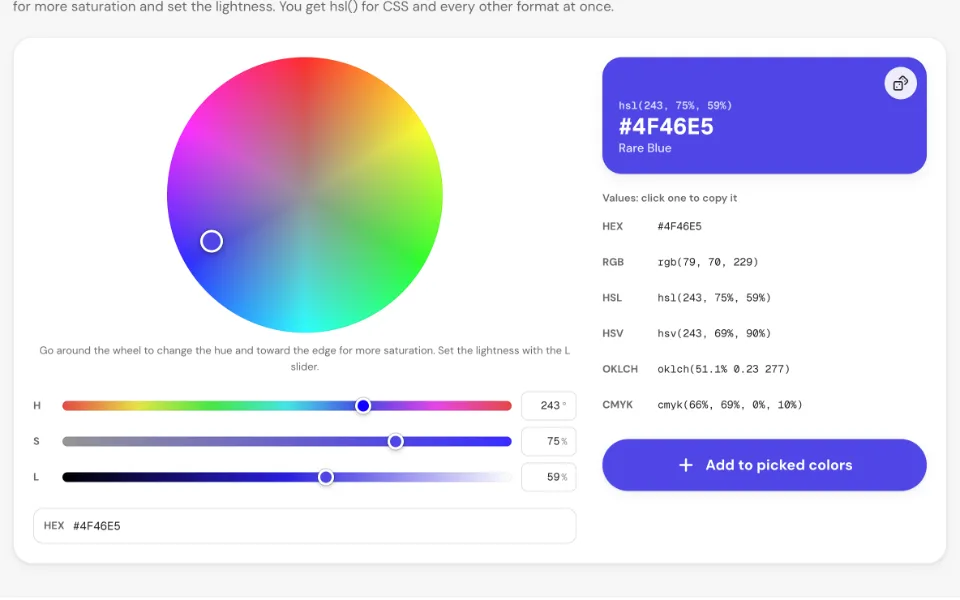
1Pick a hue and saturation
Drag around the wheel to change the hue and from the grey center toward the edge to add saturation. Dragging past the edge keeps the color fully saturated.
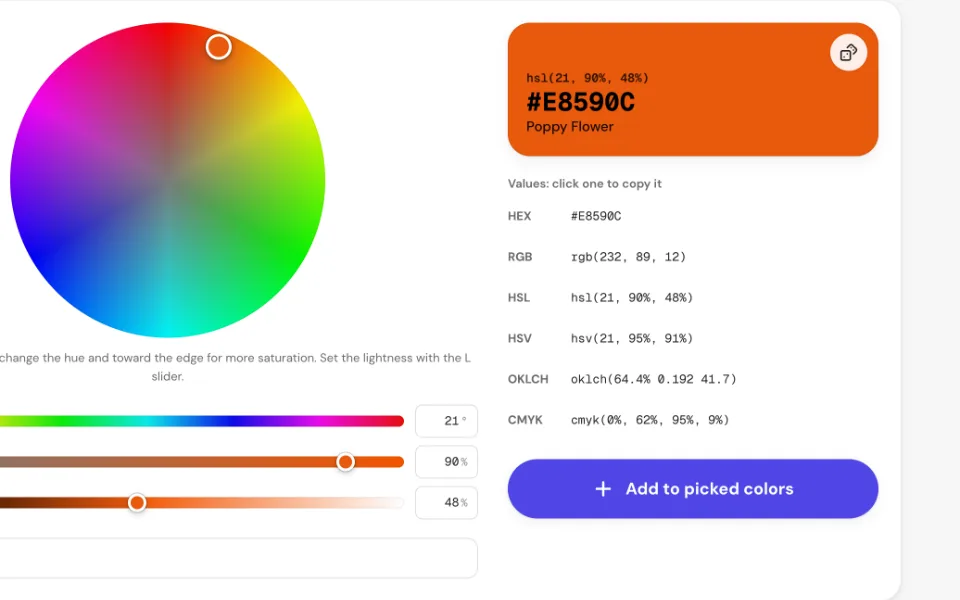
2Set the lightness
Move the L slider: 0% is black, 50% the purest color and 100% white. Each slider's track shows the colors it leads to, and the number fields take exact values.
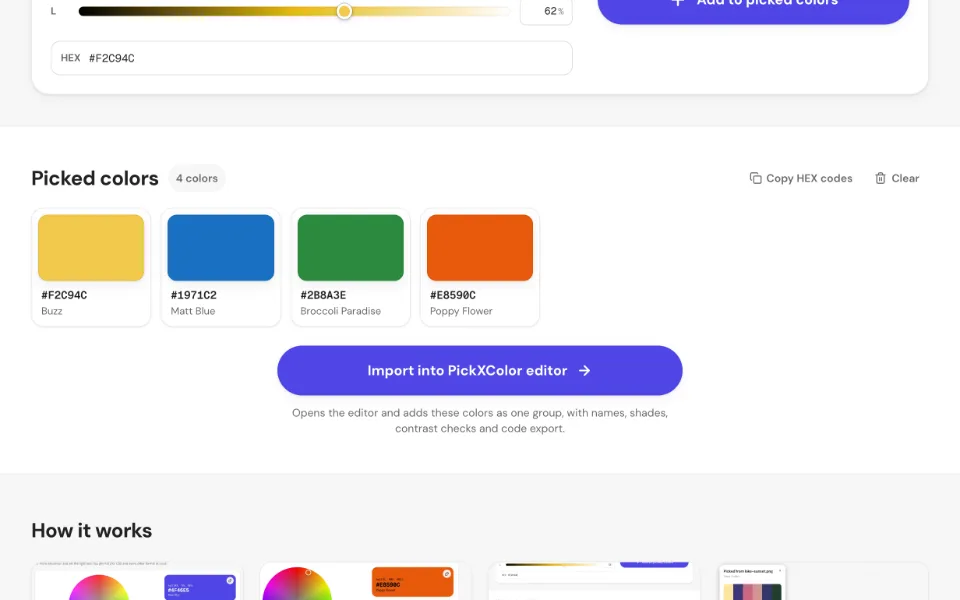
3Collect your colors
Every pick lands in the grid below with its HEX code and name. Pick as many as you like, copy them or remove the ones you don't need.
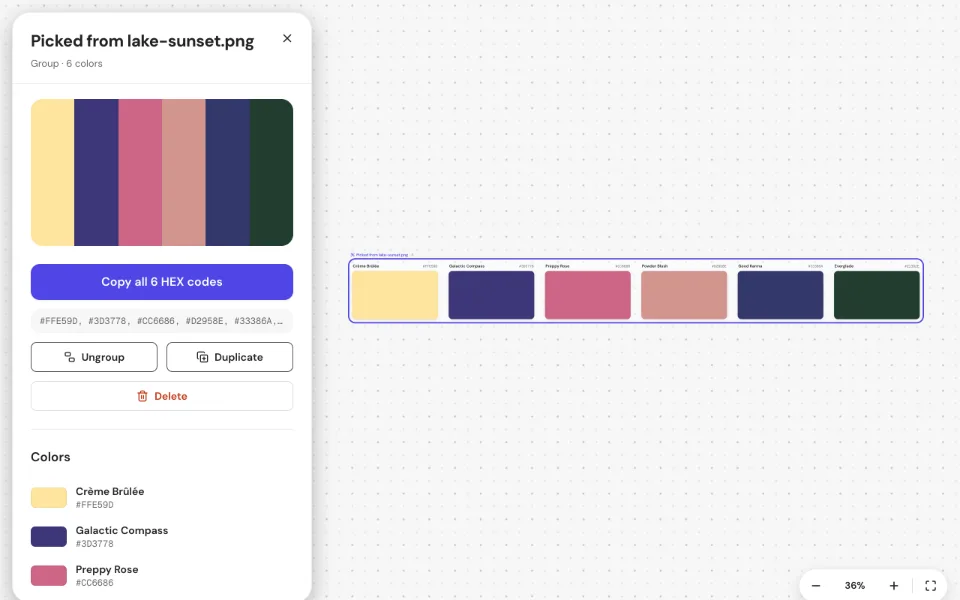
4Open them in the editor
Press “Import into PickXColor editor” to add all colors as one group, with names, shades, contrast checks and code export.
Frequently asked questions
What is HSL?
HSL describes a color by hue (the position on the color wheel, 0–360°), saturation (from grey to vivid, 0–100%) and lightness (from black through the pure color to white, 0–100%). It's easy to reason about, so it's popular for adjusting colors by hand.
How do I use HSL in CSS?
Copy the hsl() value, for example hsl(243, 75%, 59%), and use it like any other color: color: hsl(243, 75%, 59%);. Every browser supports it. To make lighter or darker variants, change only the last number.
What's the difference between HSL and HSB?
Both use hue and saturation, but the third value differs. In HSL, lightness 50% is the purest color and 100% is always white. In HSB (also called HSV), brightness 100% is the purest color and you reach white by lowering saturation. Use the HSB picker if you're used to Photoshop, Figma or Sketch.
Why does the wheel turn black or white?
The wheel shows every hue and saturation at the current lightness. At 0% lightness every color is black, at 100% white. Move the L slider back toward 50% to see the colors again.
Is it privacy-safe and GDPR-compliant?
Yes. Your data is opened and processed entirely in your browser. It is never uploaded, stored or sent to a server, and we never see it. There's no account, no tracking and no cookies, and the tool pages don't load anything from third parties. Because none of your file data reaches us, there is no personal data from it that we could process.
The colors you pick are kept in your browser's local storage, so they survive a reload. Clear them with the Clear button or by deleting this site's data.
What can I do with the picked colors?
Copy all HEX codes at once, or press “Import into PickXColor editor”. The editor adds them as one named group on an infinite board, with human color names, HEX, RGB, HSL, OKLCH and CMYK values, Tailwind-style shades, WCAG contrast checks and code export for CSS, Tailwind, SCSS, Swift and Jetpack Compose.
Is it free?
Yes. It's free with no sign-up, no watermark and no limit on how many colors you pick.
More ways to pick colors
Every tool runs in your browser and adds to the same picked colors.
- ImagePhotos, screenshots and logos: PNG, JPG, WebP, HEIC and more.
- ScreenAny pixel on your screen: other windows, apps and videos.
- PDFBrand guides, brochures and reports, with the exact colors they use.
- WebsiteShare a tab or drop a screenshot to get any site's colors.
- VideoPause on any frame of an MP4, MOV or WebM and pick.
- CameraPoint your phone or webcam at anything in the real world.
- SVG & IllustratorLogos and icons: every fill, stroke and gradient color.
- Office documentsTheme and document colors from Word, PowerPoint and Excel.
- Color pickerChoose a color and get HEX, RGB, HSL, OKLCH and CMYK.
- HSB pickerHue ring around a saturation and brightness square.
- Color wheelSpin a wheel to pick a random color.
- Any fileDrop any file and we open the right tool.
- Color picker boardThe PickXColor editor: collect, name, group and export colors.